Keyboard shortcuts
Every keyboard shortcut in Splice, grouped by where they apply.
Most things in Splice have a keyboard shortcut. Here’s the full list, split by where you are in the app.
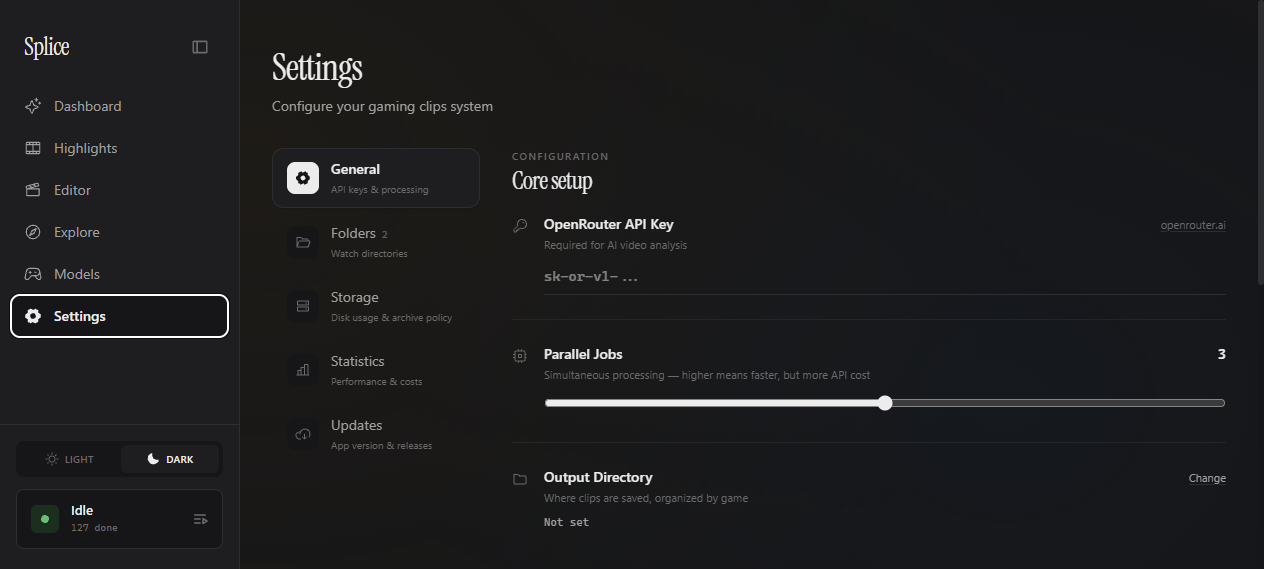
Sidebar navigation (anywhere in the app)
These jump between the main pages from anywhere.
Ctrl 1 Go to Dashboard
Ctrl 2 Go to Highlights
Ctrl 3 Go to Editor
Ctrl 4 Go to Explore
Ctrl 5 Go to Models
Ctrl 6 Open Settings
Ctrl 8 Toggle the queue panel
Clip viewer (Highlights / Dashboard popouts)
These work whenever a clip is open in the inline clip viewer modal.
Space Play / pause
← Seek back 5 seconds
→ Seek forward 5 seconds
Shift ← Previous clip in the list
Shift → Next clip in the list
M Mute / unmute
Escape Close the viewer
Explore feed (post dialog)
When you open a post on the Explore feed.
Space Play / pause
↑ or K Previous post
↓ or J Next post
← / → Previous / next post (arrow alternative)
Escape Close the dialog
Edit Kill Detection dialog
These apply inside the Dashboard’s kill editor.
Space Play / pause
A Add a kill at the current playhead
D Delete the active kill
Timeline editor (/editor)
The multi-track NLE on the Editor page.
V Select tool
B Blade tool (click a block to split it)
Space Play / pause
Delete / Backspace Remove the selected blocks
Ctrl Z Undo
Ctrl Shift Z Redo
Escape Clear selection